Mermaid to PNG
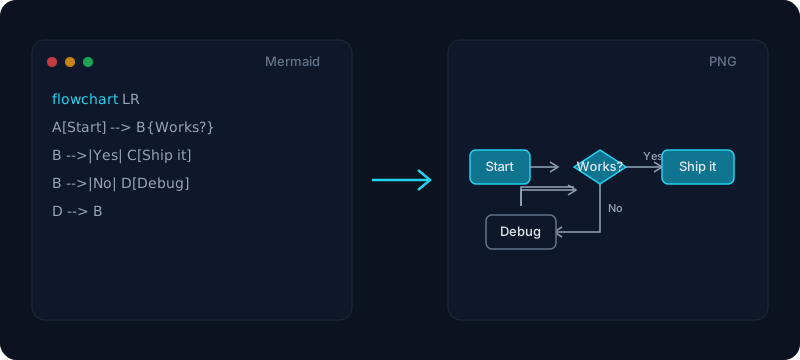
Paste your Mermaid code, preview the diagram live, and download a high-resolution PNG — transparent background optional, all in your browser.
Your diagram will render here as you type.
Free & client-side. Your files are never uploaded.
Paste your Mermaid diagram code and watch it render live, then download a clean, high-resolution PNG image. This free tool turns any flowchart, sequence, class, state, ER, gantt or pie diagram into a crisp mermaid png you can drop straight into a document, slide deck, or README. Pick a resolution from 1x up to 4x so the exported image stays sharp on retina screens, in print, and when projected.
Everything renders in your browser — your diagram code never leaves your machine, so it is safe to use for internal architecture diagrams and private specs. Choose a transparent background to place the diagram over a dark or light page without an ugly white box, adjust the padding so it never sits flush against the edge, and switch between Mermaid themes to match your docs. When it looks right, download the PNG or copy the image straight to your clipboard to paste into Word, Google Docs, or Slack.
How it works
- 1
Paste your Mermaid code, or open a .mmd file, into the box.
- 2
The diagram renders live on the right — pick a resolution (1x–4x), background and theme.
- 3
Click Download PNG (or Copy image) and drop the diagram into your doc, slide or chat.
Why use this converter
- High-resolution export from 1x up to 4x scale
- Transparent background option for dark or light pages
- Supports every Mermaid diagram type (flowchart, sequence, class, ER, gantt…)
- Live preview and copy-to-clipboard — nothing is uploaded
Use cases
Drop a diagram into a Word or Google Docs report
Export a flowchart or sequence diagram as a high-resolution PNG and paste it into a report — or convert the whole document with our Markdown to Word tool.
Add a clean architecture diagram to slides or a README
Turn Mermaid code into a sharp image for a presentation, pitch deck, or project README that renders the same everywhere.
Share a diagram image in code review
Copy the rendered diagram to your clipboard and paste it into Slack or a pull request so non-technical reviewers can see it without installing anything.
Frequently asked questions
Is this Mermaid to PNG converter free?
Yes — it is completely free with no signup and no watermark. Paste your Mermaid code, preview the diagram live, and export as many PNGs as you like.
Is it safe? Is my diagram code uploaded?
Nothing is uploaded. The diagram is rendered and turned into a PNG entirely in your browser, so private architecture diagrams and internal specs stay on your device.
Which Mermaid diagram types are supported?
All of them — flowcharts, sequence diagrams, class, state, entity-relationship, gantt, pie and mindmaps. If Mermaid can render it, this tool can export it to PNG.
How high a resolution can I export?
You can scale the export up to 4x, which is more than enough for retina screens, printed handouts, and full-screen slides. Higher scale means a larger, sharper PNG.
Can I get a transparent background?
Yes. Switch the background to transparent and the exported PNG has no white box, so it sits cleanly on a dark or light document or slide.
My Mermaid code shows a syntax error — what now?
The live preview shows the exact parse error Mermaid reports, and keeps your last good diagram on screen. Fix the highlighted line and the diagram reappears instantly.
Is this the same as a "mermaid png" or "convert mermaid to png" tool?
Yes. Whether you searched for mermaid png, mermaid to image, convert mermaid to png, or export mermaid to png, this is the tool — it renders your Mermaid diagram and lets you download it as a PNG image. (For a JPG, export the PNG here and re-save it; native mermaid to jpg export is on the roadmap.)
Can I export SVG instead of PNG?
Yes — use our Mermaid to SVG tool for scalable vector output that stays sharp at any size and can be embedded straight into a web page. This page exports PNG, which pastes cleanly into Word, Slack, and most documents.
How do I put a Mermaid diagram into Word?
Download the PNG (or click Copy image) and paste or insert it into your Word document. To convert a whole Markdown file with diagrams to Word, use our Markdown to Word tool.