Markdown to DOCX
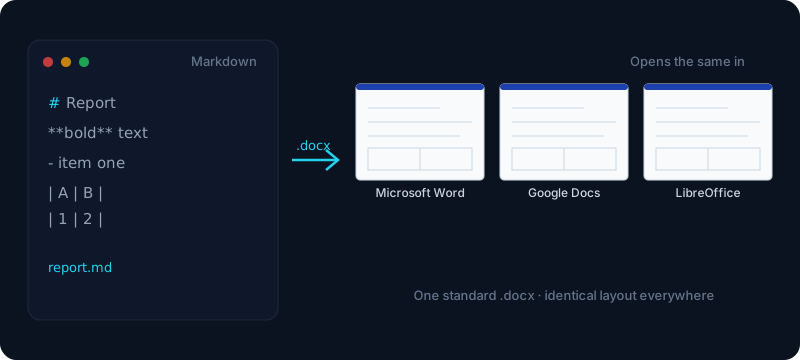
Turn a Markdown file into a standard .docx — one Office Open XML document that opens the same in Word, Google Docs and LibreOffice.
Output preview will appear here after you convert.
Free & client-side. Your files are never uploaded.
A .docx file is Office Open XML — the modern document standard Microsoft Word has used since 2007. It is self-contained, easy to archive, and readable by every current office suite, which is exactly why so many tools and pipelines standardise on it. This free converter turns plain-text Markdown into a real .docx: your headings, tables, lists, code blocks and quotes become native document elements, not HTML pasted into a page. Convert markdown to docx once and the structure travels with the file.
Every conversion runs locally in your browser, so your .md never gets uploaded to a server — a real difference from the many online docx converters that transmit your file to be processed. That makes it safe for internal specs and unpublished drafts. And because the output is standard Office Open XML, one .docx opens with the same layout in Microsoft Word, Google Docs, LibreOffice and WPS — no "works in Word, breaks everywhere else" surprises.
It is a fast way to land Markdown into a document deliverable: turn a README, a spec, or the Markdown that ChatGPT, Notion or Claude hands you into a .docx you can file, share, or drop into a docs pipeline. If what you really want is to keep editing and restyling inside Word itself, our more Word-focused Markdown to Word tool covers that angle.
How it works
- 1
Paste your Markdown, or open a .md file, into the box.
- 2
Click Convert — the .docx is generated entirely in your browser.
- 3
Download document.docx and open it in Word, Google Docs or LibreOffice.
Why use this converter
- Outputs a standard .docx (Office Open XML)
- Opens identically in Word, Google Docs, LibreOffice & WPS
- Headings, tables, code and lists become native document elements
- 100% client-side — no upload, no signup
Use cases
Save ChatGPT or Notion output as a .docx
Paste the Markdown an AI assistant or Notion export gives you and convert md to docx instantly, ready to archive or send on.
Produce .docx artifacts in a docs pipeline
Turn a README or technical spec into a .docx deliverable for a release, a client handoff, or a document library — the same way a build step would.
Share one file across Word, Google Docs & LibreOffice
Hand a single standard .docx to a team where everyone uses a different office suite, and trust it to open without the layout falling apart.
Frequently asked questions
What is a .docx file?
A .docx is an Office Open XML document — the format Microsoft Word has used by default since Word 2007. It is a compact, self-contained package of XML that any modern word processor can open, which is why it has become the common standard for shareable documents.
What's the difference between .docx and .odt or .rtf?
.docx is Microsoft’s Office Open XML format; .odt is the OpenDocument equivalent used by LibreOffice; .rtf is an older, plainer rich-text format with less structure. .docx has the widest support across Word, Google Docs and LibreOffice, so it is usually the safest choice for sharing.
Will the .docx open correctly in Google Docs and LibreOffice?
Yes. The output is standard Office Open XML, so the same file opens with consistent layout in Microsoft Word, Google Docs, LibreOffice and WPS — headings, tables and lists stay intact across all of them.
How do I convert ChatGPT or Notion Markdown to .docx?
Copy the Markdown from ChatGPT, Claude or a Notion export, paste it into the box, and click Convert to DOCX. You get a downloadable .docx with the headings, tables and lists preserved as real document structure.
Can I convert multiple files or a whole folder at once?
Right now the tool converts one file at a time to keep each conversion fast and high quality. Batch and folder conversion is on the roadmap for teams running Markdown through a pipeline.
How is this different from Pandoc's md-to-docx?
Pandoc is a powerful command-line tool you install and run locally. This does the same md to docx conversion with nothing to install — it runs in your browser, and your file is never uploaded, so it is handy when you just need a quick .docx without setting up a toolchain.
Are my files uploaded anywhere?
No. The whole conversion happens on your own machine — many online docx converters transmit your file to a server to process it, but here the .docx is assembled client-side and your Markdown stays local.