Mermaid to SVG
Paste your Mermaid code, preview the diagram live, and download a crisp, scalable SVG — or copy the SVG code straight into your project. All in your browser.
Your diagram will render here as you type.
Free & client-side. Your files are never uploaded.
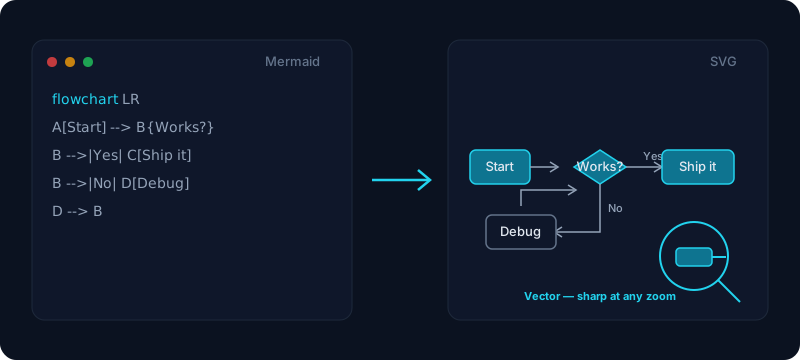
Paste your Mermaid diagram code, watch it render live, and download a clean, scalable SVG. Because SVG is a vector format, the exported diagram stays razor-sharp at any size — zoom in on a flowchart, blow it up for a poster, or shrink it into a sidebar and there is no blur and no pixelation. Every flowchart, sequence, class, state, ER, gantt, pie or mindmap becomes a lightweight mermaid svg file you can drop into a README, a documentation site, a design file, or a web page. When you need a raster image instead, our Mermaid to PNG tool exports the same diagram as a high-resolution PNG.
Everything runs in your browser, so your diagram code is never uploaded — safe for internal architecture diagrams and private specs. SVG files are small, they are valid XML you can style with CSS, and they can be embedded directly in HTML with a plain <img> tag or inlined into a component. Choose a transparent background to place the vector over a dark or light page without a white box, switch Mermaid themes to match your docs, then either download the .svg file or click Copy SVG code to paste the markup straight into your project.
How it works
- 1
Paste your Mermaid code, or open a .mmd file, into the box.
- 2
The diagram renders live on the right — pick a theme and a white or transparent background.
- 3
Click Download SVG for the vector file, or Copy SVG code to paste the markup straight into your project.
Why use this converter
- Infinitely scalable vector output — sharp at any size, no pixelation
- Copy SVG code to paste straight into HTML, React, or a design tool
- Transparent background option for dark or light pages
- Supports every Mermaid diagram type (flowchart, sequence, class, ER, gantt…)
- Live preview and browser-only export — nothing is uploaded
Use cases
Embed a crisp diagram in a web page or docs site
SVG scales without blur and can be dropped straight into HTML as an image or inlined into a component, so architecture and flow diagrams stay sharp on any screen. Prefer HTML output? Try our Markdown to HTML tool.
Hand an editable vector to a designer
Copy the SVG code or download the file and open it in Figma, Illustrator, or Inkscape — the diagram stays fully editable as vector shapes and text, ready to restyle for a deck or brand.
Put a scalable diagram in a README or wiki
GitHub and most wikis render SVG natively, so a Mermaid diagram exported as SVG looks crisp on retina screens and when zoomed, unlike a fixed-size raster image.
Frequently asked questions
Is this Mermaid to SVG converter free?
Yes — it is completely free with no signup, no watermark, and no credits. Paste your Mermaid code, preview the diagram live, and export as many SVGs as you like.
Is it safe? Is my diagram code uploaded?
Nothing is uploaded. The diagram is rendered and turned into an SVG entirely in your browser, so private architecture diagrams and internal specs stay on your device.
Why choose SVG over PNG?
SVG is a vector format: it scales to any size without blur, the file is usually smaller, and it is editable XML you can restyle with CSS. Choose SVG for web embedding and editable graphics; if you need a raster image to paste into Word or Slack, use our Mermaid to PNG tool instead.
How do I embed the SVG in a web page or React?
Save the file and reference it from an image tag by its path, or click Copy SVG code and paste the markup inline into your HTML or JSX so you can style it with CSS. Both approaches keep the diagram crisp at any zoom level.
Which Mermaid diagram types are supported?
All of them — flowcharts, sequence diagrams, class, state, entity-relationship, gantt, pie and mindmaps. If Mermaid can render it, this tool can export it to SVG.
Can I copy the SVG code instead of downloading a file?
Yes. Click Copy SVG code and the cleaned vector markup goes to your clipboard, ready to paste straight into an HTML file, a React component, or a design tool.
Can I get a transparent background?
Yes. Switch the background to transparent and the exported SVG has no white box, so it sits cleanly on a dark or light document, slide, or web page.
My Mermaid code shows a syntax error — what now?
The live preview shows the exact parse error Mermaid reports and keeps your last good diagram on screen. Fix the highlighted line and the diagram reappears instantly.