Markdown to HTML
Convert Markdown into clean, semantic HTML — with GFM tables, code blocks and lists preserved.
Output preview will appear here after you convert.
Free & client-side. Your files are never uploaded.
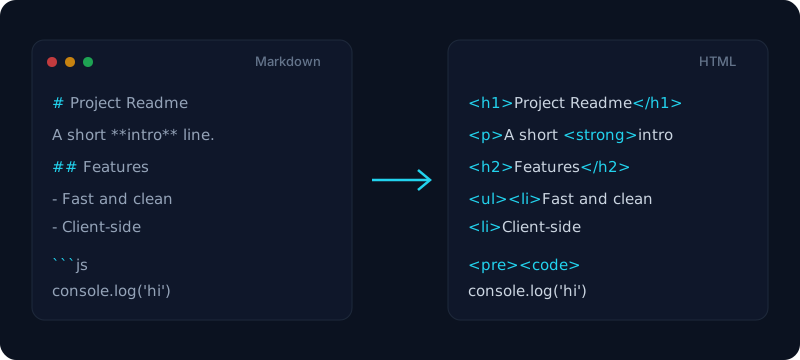
Paste Markdown and get clean, semantic HTML — real heading tags, lists, links, blockquotes, and tables, not a soup of nested divs. This free md to html converter is built for the browsers, CMSs, and email templates that speak HTML instead of Markdown, and GitHub-Flavored extras (pipe tables, task lists, fenced code blocks, and callouts) all carry across.
The output is sanitised, so it is safe to drop into a page or share with a teammate, and you get a complete standalone document plus an on-page preview before you download. Everything runs client-side — your draft never leaves the browser, and there is nothing to install — a quick, private way to turn a README, a blog draft, or AI-generated text into markup you can paste anywhere.
How it works
- 1
Paste your Markdown (or open a .md file) into the box.
- 2
Click Convert — Markdown is rendered to HTML in your browser.
- 3
Preview the result and download a standalone .html file.
Why use this converter
- CommonMark + GitHub-Flavored Markdown (tables, task lists, fenced code)
- Outputs a clean, standalone HTML document with sensible styling
- Sanitized output — safe to open and share
- No upload — everything runs client-side
Use cases
Publish a Markdown draft to a CMS
Paste a post written in Markdown and get clean HTML ready for WordPress, Ghost, or a custom site.
Embed rendered docs in an email or page
Convert release notes or docs to a standalone HTML file you can drop into a template.
Turn AI output into shareable markup
Take Markdown from Claude or ChatGPT and export semantic HTML you can hand to anyone.
Frequently asked questions
Is this Markdown to HTML converter free?
Yes — it is completely free with no signup, no watermark and no limits. The converter runs entirely in your browser, so you can convert as many files as you like.
Does it support GitHub-Flavored Markdown?
Yes — GitHub-Flavored Markdown is fully supported: tables, task lists, fenced code blocks and GitHub callouts are all converted to clean HTML.
Is the HTML a full document or just a fragment?
The download is a complete, standalone .html document with basic styling, ready to open in any browser. The on-page preview shows the rendered body so you can check it first.
Can I convert HTML back to Markdown?
This tool handles the Markdown to HTML direction. A dedicated HTML to Markdown converter is on the way — for now, paste your Markdown here to get clean HTML out.
Can I turn Markdown into rich text for Word or email?
Yes — export the HTML, then open or paste it into Word, Google Docs or an email client. Because the output is clean semantic HTML, it pastes in as formatted rich text rather than raw symbols.
Is code syntax highlighting preserved?
Fenced code blocks are converted to proper <pre><code> markup with the language preserved, so you can apply a highlighter like Prism or highlight.js on your own page.
Are my files uploaded?
No. Conversion happens entirely in your browser; nothing is sent to a server, which makes it safe for private or internal documents.