HTML to Markdown
Paste HTML — or copy straight from Word or a web page — and get clean, GitHub-Flavored Markdown. Headings, tables, lists and code all preserved, live, in your browser.
Your Markdown will appear here as you paste HTML or rich text.
Free & client-side. Your files are never uploaded.
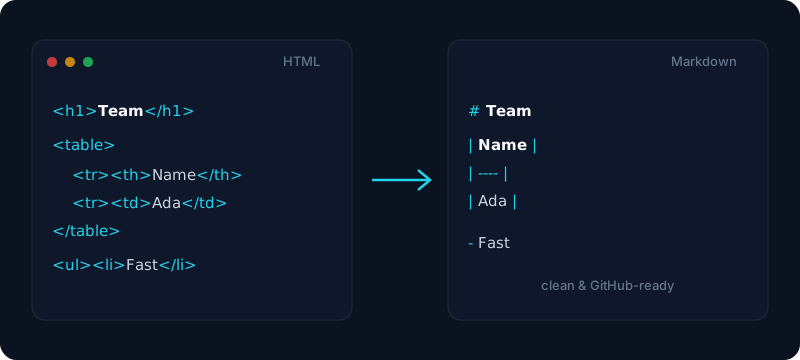
Turn HTML into clean Markdown in a single paste. Whether you have raw HTML from a web page, an export, or a CMS, this free tool reads the markup and writes proper GitHub-Flavored Markdown — real heading syntax, pipe tables, ordered and unordered lists, links, blockquotes, and fenced code blocks with their language preserved. Drop the result straight into a GitHub README, an issue, a pull request, Notion, or any Markdown editor, without hand-converting a single tag.
The real trick is rich-text paste. When you copy formatted content out of Microsoft Word, Google Docs, or a rendered web page, your clipboard carries the underlying HTML — and this converter reads that HTML directly, so a Word document with headings, a table, and a bulleted list comes across as tidy Markdown instead of a flat wall of text. That makes it the fastest way to move a formatted doc into Markdown for a wiki, a static site, or an AI prompt.
Everything runs in your browser, so your content is never uploaded to a server — safe for internal docs and unpublished drafts. Need the reverse direction? Our Markdown to HTML tool turns Markdown back into clean, semantic HTML, and together the two cover the full round trip between the web and Markdown.
How it works
- 1
Paste your HTML, or copy formatted content from Word or a web page, into the box.
- 2
Watch the Markdown preview update live — tables, lists and code are all kept.
- 3
Copy the Markdown to your clipboard, or download converted.md.
Why use this converter
- Reads rich-text paste from Word, Google Docs & web pages (HTML clipboard)
- Outputs GitHub-Flavored Markdown — tables, task lists, strikethrough & fenced code
- Headings, links, lists and blockquotes all preserved
- Live preview with Markdown source and rendered views
- Copy to clipboard or download .md — nothing is uploaded
Use cases
Paste a Word or Google Docs page as Markdown
Copy a formatted document — headings, tables, and lists — straight out of Word or Google Docs and get clean Markdown you can drop into a README, wiki, or static-site page.
Convert a web page or CMS export to Markdown
Turn the HTML from a blog post, a documentation page, or a CMS export into portable Markdown for migrating content into a Markdown-based repo or a headless CMS.
Clean up rich text before feeding it to an AI
Strip a page down to plain, structured Markdown so you can paste it into a prompt without dragging along messy inline HTML and styling.
Frequently asked questions
How do I convert HTML to Markdown?
Paste your HTML into the box (or copy formatted content from Word or a web page) and the Markdown appears live on the right. Switch between the rendered preview and the Markdown source, then click Copy Markdown or download converted.md.
Can I paste formatted text from Word or a web page?
Yes — that is the point. When you copy rich text from Microsoft Word, Google Docs, or a rendered web page, the clipboard carries the underlying HTML, and this tool reads it directly. So a Word doc with headings, a table, and a bulleted list comes across as clean Markdown, not flat plain text.
Does it keep tables, lists and code blocks?
Yes. The converter outputs GitHub-Flavored Markdown, so HTML tables become pipe tables, ordered and unordered lists are preserved, and code blocks become fenced code (```), with strikethrough and task lists handled too.
Is the output GitHub-Flavored Markdown?
Yes. Tables, task lists, strikethrough and fenced code blocks all use GFM syntax, so the Markdown renders correctly on GitHub, in a README, an issue, or a pull request.
Is my HTML uploaded anywhere?
No. The entire conversion happens in your browser and nothing is sent to a server, so even internal pages and confidential drafts stay on your device.
Can I convert Markdown back to HTML?
Yes — that is the reverse direction, handled by our Markdown to HTML tool. Paste Markdown there to get clean, semantic HTML back out.
What if my HTML is messy or only a fragment?
That is fine. You can paste a full HTML document or just a fragment (a single table, a list, a snippet), and the converter extracts the visible structure and text into Markdown, ignoring scripts and styling.