Markdown to PNG
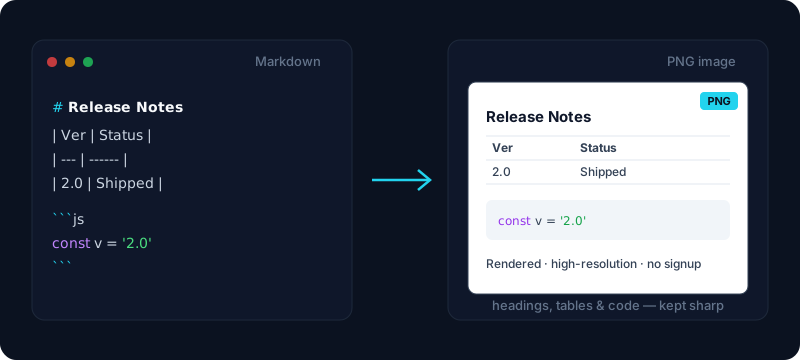
Paste Markdown, preview it live, and export a crisp PNG image — headings, tables and code all rendered, ready to drop into Slack, slides or social.
Your rendered Markdown will appear here — that is exactly what the PNG will look like.
Free & client-side. Your files are never uploaded.
Turn an entire Markdown document into a single high-resolution PNG image. This free tool renders your Markdown exactly the way you wrote it — headings, GitHub-Flavored tables, syntax-highlighted code blocks, lists, and blockquotes all preserved — and exports it as a crisp image you can drop straight into Slack, Twitter, a slide deck, or anywhere that does not understand Markdown. It is the fast way to share a formatted note as a picture instead of a wall of raw syntax.
Everything renders in your browser, so your Markdown is never uploaded to a server — safe for internal notes and private drafts. Export at up to 4x resolution so the md to png output stays sharp on retina screens, in print, and when projected, and switch to a transparent background so the image sits cleanly on a dark or light page without an ugly white box. Whether you searched for markdown to image, md to png, or a markdown screenshot tool, this renders your document and hands you the image.
You see exactly what you will get before you export: the live preview on the right is the image. When it looks right, copy it straight to your clipboard to paste into a chat or doc, or download the PNG. If you only need to export a Mermaid diagram, use our Mermaid to PNG tool; if you want a searchable document instead of an image, our Markdown to PDF tool keeps the text selectable.
How it works
- 1
Paste your Markdown, or open a .md file, into the box.
- 2
Check the live preview and pick a resolution, background and width.
- 3
Click Copy image or Download PNG — the preview is exactly what you get.
Why use this converter
- High-resolution export from 1x up to 4x scale
- Renders headings, tables, code highlighting, lists and quotes
- Transparent background option for dark or light pages
- Live preview — what you see is the image you get
- Copy to clipboard or download — nothing is uploaded
Use cases
Share docs where Markdown isn't supported
Render a README, spec, or note into an image and paste it into Slack, Feishu, WeChat, or a slide where raw Markdown would not display.
Post a code snippet or table to social
Turn a syntax-highlighted code block or a formatted table into a clean PNG to share on Twitter or in a thread, without a screenshot tool.
Screenshot a rendered note for archiving
Export a rendered Markdown note as an image so it always looks the same, no matter what viewer opens it later.
Frequently asked questions
How do I convert Markdown to a PNG image?
Paste your Markdown (or open a .md file), check the live preview on the right, choose a resolution and background, then click Download PNG or Copy image. It is completely free, with no signup and no watermark.
Is the exported image high resolution?
Yes. You can export at up to 4x scale, which stays sharp on retina screens, in printed handouts, and on a projector. Higher scale means a larger, crisper PNG.
Can I get a transparent background?
Yes. Switch the background to transparent and the exported PNG has no white box, so it sits cleanly over a dark or light document, slide, or page.
Does it keep code highlighting and tables?
Yes. The image is a faithful render of your Markdown, so GitHub-Flavored tables keep their borders and fenced code blocks keep their syntax highlighting — exactly as they appear in the live preview.
Can I make a social media card from a single quote?
This tool renders a whole Markdown document into one image. Turning a short quote into a designed social card with a background and styling is a different kind of tool — for now, this is best for rendering real Markdown documents to share.
Is my Markdown uploaded anywhere?
No. The Markdown is rendered and turned into a PNG entirely in your browser — nothing is sent to a server, which makes it safe for private or internal notes.
How is this different from Mermaid to PNG?
This tool renders an entire Markdown document (headings, tables, code) into an image. Mermaid to PNG renders a single Mermaid diagram from its code. If you only need the diagram, use our Mermaid to PNG tool.
Can I export to PDF instead of an image?
Yes — use our Markdown to PDF tool if you want a searchable, selectable document rather than a flat image. A PDF keeps the text as real text; a PNG is a picture of the rendered document.